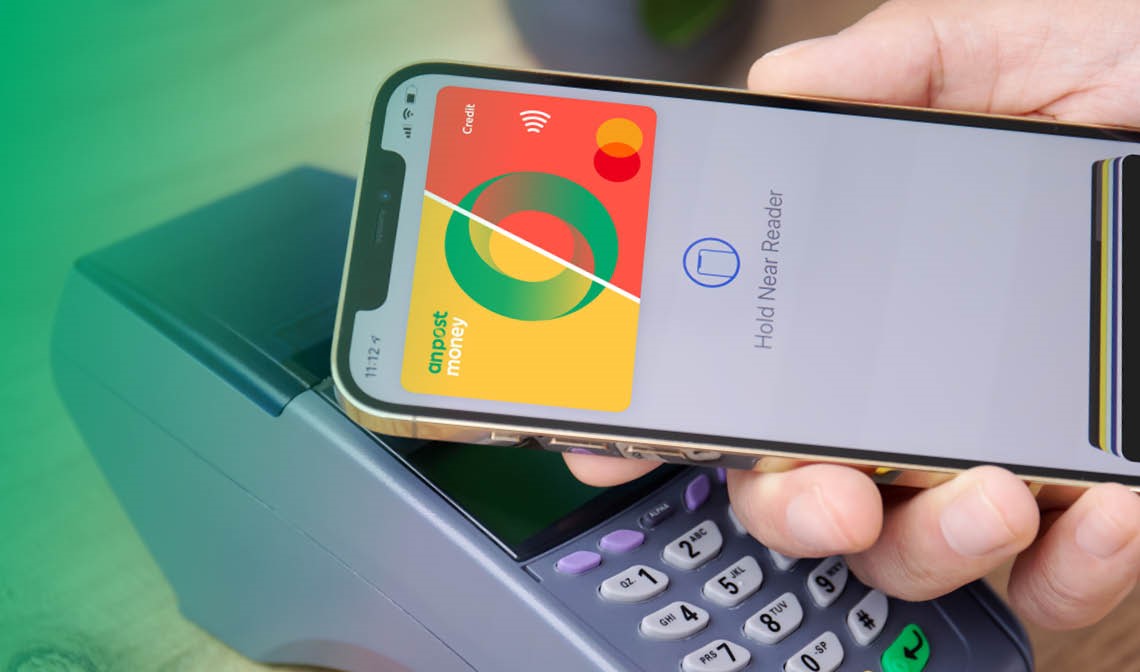
An Post Money Credit Cards offer full mobile app control with secure biometric login, instant freeze/unfreeze, transaction alerts and in-app payments. The cards support Apple Pay and Google Pay with no contactless limit, plus biometric approval for online purchases, letting you manage your card securely and conveniently from your smartphone.
Shop ‘til you drop, the hassle-free way. Use a digital wallet — and leave your Credit Card at home. With Apple Pay or Google Pay you can pay instantly and securely with your mobile or smartwatch.
Pay with Apple Pay and Google Pay
Pay with Apple Pay or Google Pay on your phone or wearable device wherever you see the contactless or Apple Pay or Google Pay symbols. Google Pay and Apple pay are fast, simple and safe ways to use your An Post Money Credit Card.
Add via the An Post Money Credit Card app
Download and log in to the An post Money Credit Card app
Select the 'Cards' tab at the bottom of the screen
Add to Apply Pay by tapping the 'Add to Wallet' button and follow the onscreen instructions
Add to your Apple Wallet
Open Apple Wallet
Tap the plus '+' symbol and tap 'Credit Card'
Take a picture of your An Post Money Credit Card or enter the details manually and verify your details
Add your Apple Watch
Open the Watch app on your iPhone
Select 'Wallet & Apple Pay'
Tap 'Add Card' and follow the same instructions above
An Post Money Credit Card App
Simply log in to the An Post Money Credit Card App:
Select the ‘Cards’ tab at the bottom of the screen
Add to Google Pay by tapping the ‘Add to Wallet’ button and follow the onscreen instructions
Then you’re ready to use Google Pay wherever you see Google Pay or Contactless logo
Don’t have the An Post Money Credit Card App? Download Android app
Google Pay - App
Open the Google Pay app. If you have multiple accounts in Google Pay, at the top left, tap Menu, then the down arrow. Then, tap the account you want to use to add a debit or credit card.
At the bottom, tap Payment.
At the bottom, tap Add then credit or debit card.
Use the camera to capture your card info or enter it manually.
You can use Apple Pay anywhere that accepts contactless payments. You can make payments for any amount with Apple Pay, though some retailers may not support Apple Pay transactions above €50.
Most apps now accept Apple Pay, so you don’t have to enter your card details to make in-app purchases. Simply select Apple Pay at the checkout.
Online
Apple Pay is also available online. Whether you’re shopping on your iPhone, iPad, or Mac, use Apple Pay without having to create an account or log in.
In store
Pay with Google Pay using your Android phone or smartwatch anywhere that accepts contactless payments. Just look for the Contactless or Google Pay symbol. You can make payments for any amount with Google Pay, although some retailers may not support Google Pay transactions above €50.
In-App
You can also pay with Google Pay when you shop online and in apps.
Just select the Buy with Google Pay button at checkout within participating apps.
For more information on Google Pay, please visit the Google Pay website here.
Digital payments via Apple Pay, Google Pay, or the An Post Money app are designed to be secure, with features like device authentication (Face ID, Touch ID, or passcode) and no sharing of your actual card details with merchants. For more official guidance:
Visit Central Bank of Ireland's consumer hub for tips on avoiding payment fraud and scams, including how to protect yourself during online and contactless transactions.
Check the CCPC's guide on credit cards and disputed transactions (chargeback) for your consumer rights if something goes wrong with a digital payment, such as unauthorised transactions or issues with refunds.
Warning: If you do not meet the repayments on your credit agreement, your account will go into arrears. This may affect your credit report, which may limit your ability to access credit, a hire-purchase agreement, a consumer-hire agreement or a BNPL agreement in the future.
Information correct as of 1st April 2026. Lending criteria, terms and conditions apply. Government stamp duty of €30 applies.
The An Post Money Classic and Flex Credit Cards are issued by Bankinter S.A. pursuant to license by Mastercard International Incorporated. An Post acts as a credit intermediary exclusively on behalf of Bankinter S.A., who provide loan and credit card services and facilities. An Post trading as An Post Money is authorised as a credit intermediary by the CCPC. Bankinter S.A., trading as Avant Money, is authorised by the Banco de España in Spain and is regulated by the Central Bank of Ireland for consumer protection rules.
Apple Pay is a trademark of Apple Inc., registered in the U.S and other countries. Google Pay is a trademark of Google LLC.